AI Basics for Fiction Authors: Unlock the Power of AI in Your Writing Journey – Chapter 2
Understanding Large Language Models (LLMs)
Large Language Models (LLMs) are advanced AI systems designed to understand and generate human-like text based on vast amounts of data. Imagine having a virtual assistant that has read thousands of books, articles, and stories across all genres. This assistant can then use that knowledge to help you write, brainstorm ideas, or even edit your work. That’s essentially what an LLM does. It leverages deep learning techniques to predict and generate text that is contextually relevant and coherent.
It’s important to note that LLMs are not databases. They don’t contain snippets or full books and then just hodgepodge them together to produce text. They are probability engines. They have learned how language works and which words are closest to each other statistically. This is how they are able to generate text based on context.
At their core, LLMs are built using neural networks, which are computational models inspired by the human brain. These networks consist of layers of interconnected nodes, or “neurons,” that process information. When you input text into an LLM, it processes this text through multiple layers, each layer extracting different levels of meaning and context. The result is an output that feels remarkably human-like, whether it’s a continuation of your story, a new plot idea, or a dialogue suggestion.
Basic Concepts
One of the fundamental concepts behind LLMs is their ability to predict the next word in a sequence. This might sound simple, but it’s incredibly powerful. For example, if you start a sentence with “Once upon a time,” the model can predict that the next words might be “there was a,” followed by “princess,” “dragon,” or “kingdom.” This predictive capability allows LLMs to generate coherent and contextually appropriate text, making them invaluable tools for fiction writers.
Another key concept is the training process. LLMs are trained on massive datasets that include a wide variety of text from books, websites, articles, and more. This training process involves feeding the model large amounts of text and adjusting its internal parameters to minimize errors in its predictions. The more diverse and extensive the training data, the better the model becomes at understanding and generating different types of text. For example, an LLM trained on a mix of internet content, fantasy novels, mystery stories, and scientific articles will be versatile enough to assist with various writing tasks.
To make these models even more useful, they can be fine-tuned on specific datasets. Fine-tuning involves taking a pre-trained LLM and further training it on a smaller, specialized dataset. For instance, if you’re a romance writer, you could fine-tune an LLM on a collection of your romance novels to make it particularly adept at generating romantic dialogue and plot lines that sounds like you. This customization ensures that the AI aligns more closely with your specific writing style and genre.
Understanding these basic concepts helps demystify how LLMs work and why they are so effective. By leveraging the power of neural networks, predictive text, and extensive training data, LLMs can serve as versatile and powerful tools for fiction writers. Whether you’re brainstorming new ideas, crafting intricate plots, or refining your prose, LLMs offer a wealth of possibilities to enhance your creative process.
Examples of Popular LLMs
The AI landscape moves fast — new models launch every few weeks, and today’s cutting-edge release may be superseded within months. Rather than memorizing specific version numbers, it’s more useful to understand the major providers and model families available to fiction writers. Each provider offers a range of models at different capability levels and price points. Here’s an overview of the key players.
OpenAI’s GPT Series
OpenAI is the company behind ChatGPT and the GPT family of models, which are among the most widely used LLMs in the world. The GPT series (which stands for “Generative Pre-trained Transformer”) has evolved rapidly — from GPT-2 in 2019, to GPT-3 and 3.5 (which powered the original ChatGPT), to GPT-4 and its variants, and now the GPT-5 series and beyond.
What matters for fiction writers isn’t the specific version number but understanding that OpenAI typically offers models at several tiers:
- Flagship models deliver the highest quality output with the deepest reasoning capabilities. These are your best bet for complex writing tasks like multi-chapter plotting, nuanced character work, or long-form editing where consistency and tone matter most.
- Mini and lightweight models are faster and cheaper, making them great for high-volume tasks like brainstorming, generating quick scene variations, or iterating on dialogue. You sacrifice some depth for speed and cost savings.
- Thinking models (also called reasoning models) represent a newer category. These models can “think step by step” before responding, working through problems methodically. For fiction writers, thinking models can be especially useful for analyzing plot holes, working through complex world-building logic, or evaluating story structure. They take a bit longer to respond but can provide more thoughtful, well-reasoned output.
OpenAI’s models are accessible through ChatGPT (their consumer product) and the OpenAI Playground/API (where you get more control over settings and hyperparameters). OpenAI does have content moderation policies, which we’ll discuss in Chapter 4, though these have been gradually relaxing over time.
Anthropic’s Claude
Claude, developed by Anthropic, is known for its strong creative writing abilities, natural conversational style, and long context windows. Named after Claude Shannon, the father of information theory, Claude has become a favorite among many fiction writers for its ability to generate imaginative and engaging text.
Like OpenAI, Anthropic offers Claude in multiple tiers:
- Opus is the most powerful and capable tier, designed for complex, demanding tasks that require deep reasoning and nuanced output.
- Sonnet is the mid-tier workhorse. It balances strong performance with faster response times and lower cost. For many writers, Sonnet is the sweet spot for everyday writing tasks.
- Haiku is the fastest and most affordable tier, ideal for quick tasks, brainstorming, or high-volume generation where speed matters more than maximum quality.
One of Claude’s standout features for fiction writers is its large context window. Some Claude models can handle up to 1 million tokens of context, which means you can load substantial amounts of your manuscript, series bible, or world-building notes into a single conversation. Claude also supports an extended thinking mode, similar to OpenAI’s thinking models, where it reasons through complex problems before responding.
Claude is accessible through claude.ai (the consumer product) and Anthropic’s API/Workbench (their version of a playground).
Google’s Gemini
Gemini, developed by Google DeepMind, is a powerful model family that many fiction writers overlook but shouldn’t. Gemini models are natively multimodal — meaning they can process text, images, audio, and video — and they offer some of the largest context windows available, making them excellent for working with long manuscripts.
Gemini models are organized into tiers similar to the other providers:
- Pro models offer the highest capability, with strong reasoning and deep comprehension. These are ideal for complex writing and analysis tasks.
- Flash models prioritize speed and efficiency while maintaining impressive intelligence. They’re excellent for interactive brainstorming, real-time writing sessions, and tasks where you want quick responses.
- Flash-Lite models are the most budget-friendly, designed for high-volume tasks where cost efficiency is the top priority.
- Deep Think mode is Gemini’s version of a reasoning/thinking model, designed for problems that require rigorous, step-by-step analysis.
Gemini is accessible through the Gemini app (Google’s consumer chatbot), Google AI Studio (a free playground for developers and experimenters), and the Vertex AI platform. Google AI Studio is particularly worth noting because it offers generous free-tier access, making it a great place to experiment without committing money upfront.
A Note on Thinking/Reasoning Models
One of the most significant developments in recent AI history is the emergence of “thinking” or “reasoning” models. These models don’t just predict the next word — they pause to reason through a problem step by step before giving you an answer, similar to how you might think through a plot problem before writing.
All three major providers now offer thinking capabilities: OpenAI has its reasoning models, Claude has extended thinking mode, and Gemini has Deep Think mode. For fiction writers, thinking models are particularly useful when you need the AI to:
- Analyze your plot for inconsistencies or logical gaps
- Work through complex world-building rules and their consequences (e.g., “If magic works this way, what are the societal implications?”)
- Evaluate and compare different story directions before committing
- Provide detailed feedback on character arcs or narrative structure
Thinking models typically take longer to respond and cost more per query, so they’re best saved for tasks that benefit from deeper analysis rather than rapid-fire generation. For quick brainstorming or drafting, standard models are usually the better choice.
Open Source Models
For authors who need more flexibility and fewer content restrictions, open-source models offer a compelling alternative to the proprietary options above. These models are developed by independent researchers, companies, and communities, and they’re often available for free or at very low cost through platforms like OpenRouter.ai and Hugging Face.
The open-source landscape changes incredibly fast — new models appear almost daily, and today’s standout may be eclipsed next month. Rather than recommending specific models (which would quickly become outdated), here’s what you should know about the open-source world:
Why fiction writers use open-source models:
- Fewer content restrictions. Open-source models typically don’t have the same moderation filters as OpenAI, Claude, or Gemini. This makes them valuable for writers who work with mature themes — violence, explicit romance, dark subject matter — that may trigger content filters on mainstream platforms.
- Cost-effectiveness. Many open-source models are free to use or extremely affordable, especially through platforms like OpenRouter.ai.
- Customizability. If you’re technically inclined (or willing to learn), open-source models can be fine-tuned on your own writing to better match your voice and style.
What to watch for:
- Quality varies widely. Some open-source models rival the major providers; others produce noticeably lower-quality output. Testing is essential (we’ll cover this in Chapter 5).
- The landscape changes fast. A model that’s popular today may be abandoned tomorrow. Check platforms like OpenRouter.ai and Hugging Face regularly to discover what’s current.
- Some models are better at specific tasks. One model might excel at dialogue but struggle with long-form coherence. Experimentation is key.
Where to find them:
- OpenRouter.ai provides a unified interface to access many open-source (and proprietary) models, making it easy to test and compare without technical setup.
- Hugging Face is the largest repository of open-source models, with community reviews and benchmarks to help you choose.
- Local installation is an option for technically savvy users — tools like Ollama, LM Studio, and Jan have made it much easier to run models on your own computer without needing to write code.
We’ll explore accessing and using open-source models in much more detail in Chapter 5.
Choosing the Right Model for Your Needs
With so many options available, choosing a model can feel overwhelming. Here’s a simple framework:
- For general writing, brainstorming, and drafting: Start with the mid-tier models from any major provider (like a GPT flagship, Claude Sonnet, or Gemini Flash). These offer the best balance of quality, speed, and cost.
- For complex analysis, plotting, and feedback: Use a thinking/reasoning model when you need the AI to reason carefully rather than just generate.
- For mature or NSFW content: Look to open-source models through OpenRouter.ai, where content restrictions are minimal or nonexistent.
- For budget-conscious work: Lightweight/mini models from any provider, or free-tier access through Google AI Studio, can keep costs low while still delivering solid results.
- For loading your entire manuscript as context: Models with large context windows (Claude and Gemini are leaders here) let you work with tens or hundreds of thousands of words at once.
Remember, the “best” model is the one that works best for your writing process and needs. We encourage you to experiment with multiple providers and find your favorites — and revisit your choices periodically, because the landscape is always improving.
Tokens and Hyperparameters
Understanding how large language models (LLMs) work involves examining two fundamental concepts: tokens and hyperparameters. These elements play a crucial role in how LLMs process and generate text, influencing everything from the coherence of the output to its creativity and style. By grasping these concepts, you’ll be better equipped to harness the full potential of AI in your writing.
Understanding Tokens
Tokens are the basic units of text that large language models (LLMs) process. While it might be tempting to think of tokens as words, they are actually more granular than that. A token can be as short as a single character or as long as an entire word, depending on the complexity and structure of the text. For example, the word “unbelievable” might be broken down into several tokens like “un”, “believ”, “able”, whereas a simple word like “cat” would be a single token.
To give you a better sense of how tokens work, consider the sentence: “The quick brown fox jumps over the lazy dog.” This sentence contains nine words, but when tokenized, it might be broken down into more than nine tokens, especially if there are compound words or contractions involved. For instance, “don’t” would be tokenized as “do”, “n’t”. Understanding this breakdown is crucial because the number of tokens directly impacts how much text an LLM can process at once and how much it will cost you if you’re using a paid service.
A practical way to estimate the number of tokens you’ll use is to assume that each word in your text will average around 1.3 to 1.5 tokens. So, if you have a 1,000-word chapter, you can expect it to be around 1,300 to 1,500 tokens. This is a rough estimate, but it helps you plan and manage your usage effectively. Keep in mind that punctuation marks, spaces, and special characters also count as tokens, so even short sentences can accumulate tokens quickly.
Another important aspect to consider is that tokens are context-sensitive. Words that have multiple meanings often share the same token, which means the LLM relies heavily on the surrounding context to determine the intended meaning. For example, the word “bat” could refer to a flying mammal or a piece of sports equipment. The token for “bat” is the same in both cases, so the LLM uses the context provided by the other tokens in the sentence to infer the correct meaning. This is why it’s essential to provide clear and specific context in your prompts to ensure the AI generates accurate and relevant responses.
By understanding how tokens work, you can better manage your interactions with LLMs, ensuring that you get the most out of these powerful tools without unnecessary costs or confusion. Whether you’re drafting a novel, brainstorming ideas, or refining dialogue, being mindful of tokens will help you leverage AI more effectively in your writing process.
Hyperparameters Overview
Hyperparameters are the settings that control the behavior of large language models (LLMs), and understanding them is key to getting the most out of these powerful tools. Think of hyperparameters as the dials and switches on a sophisticated piece of machinery. By adjusting these settings, you can influence how the AI generates text, from its creativity and randomness to its adherence to the prompt and avoidance of repetition.
For many authors, hyperparameters are an unseen yet crucial part of working with LLMs. They determine how the model responds to your prompts and can significantly impact the quality and relevance of the generated text. Whether you’re writing dialogue, crafting a plot twist, or developing a character’s backstory, fine-tuning these settings can help you achieve the desired tone, style, and coherence.
One of the most compelling reasons to understand hyperparameters is the control they give you over the AI’s output. For instance, if you want the AI to produce highly creative and varied responses, you can adjust the settings to encourage more randomness. Conversely, if you need precise and focused text, you can tweak the parameters to make the AI’s output more predictable and consistent. This level of control is invaluable for fiction writers who need to tailor the AI’s responses to fit their unique voice and narrative style.
In the following sections, we’ll dive into the key hyperparameters that you can adjust when working with LLMs: temperature, top P, top K, presence penalty, and frequency penalty. Each of these settings plays a distinct role in shaping the AI’s behavior, and by understanding how they work, you’ll be able to harness their full potential to enhance your writing. Whether you’re new to AI or looking to refine your use of these tools, mastering hyperparameters is an essential step in becoming a more effective and creative writer.
Detailed Discussion on Key Hyperparameters
Before we tell you all about hyperparameters, we need to note that the example numbers we give for each are just examples. Many LLMs have their own ranges for each of these dials. For example, on OpenAI, the temperature setting can go from 0 to 2. But on Anthropic’s Claude, the temperature only goes from 0 to 1. When you get started with a new LLM, be sure to check its bottom and upper limits so that you can get the best results.
Temperature
Temperature controls the randomness and creativity of the AI’s responses. Think of it as a dial that adjusts how adventurous or conservative the AI is with its word choices. A higher temperature value (closer to 1 or 2) makes the AI more creative and varied in its output, while a lower value (closer to 0) makes the AI more predictable and focused.
- High Temperature (1.8): You ask the AI to describe a mysterious forest. The response might be: “The forest was a labyrinth of twisting vines and glowing fungi, where the trees whispered secrets and shadows danced in the moonlight.”
- Low Temperature (0.2): The same prompt might yield: “The forest was dark and quiet, with tall trees and dense undergrowth.”
In the first example, the high temperature setting produces a more imaginative and vivid description, which can be great for adding flair to your writing. In the second example, the low temperature setting provides a straightforward and clear description, useful for more factual or direct writing.
Top P
Top P, also known as nucleus sampling, affects the diversity of the AI’s output by considering the cumulative probability of token choices. When you set a top P value, the model only considers the most probable tokens until their cumulative probability reaches that value. A lower top P value (closer to 0) makes the AI’s responses more focused, while a higher value (closer to 1) allows for more diverse and creative outputs.
- High Top P (0.9): You ask the AI to generate dialogue for a character who is excited about a new discovery. The response might be: “I can’t believe it! This changes everything! We have to tell everyone right away!”
- Low Top P (0.3): The same prompt might yield: “This is significant. We should document it and inform the relevant parties.”
In the first example, the high top P setting results in a more expressive and varied dialogue, reflecting the character’s excitement. In the second example, the low top P setting produces a more reserved and precise response, which might be suitable for a more formal or serious character.
Top K
Top K limits the number of possible next words (tokens) the AI can choose from when generating text. A higher top K value allows the AI to consider more options, leading to more creative and varied responses. A lower top K value restricts the AI to fewer options, making its output more predictable and focused.
- High Top K (40): You ask the AI to write the opening line of a fantasy novel. The response might be: “In the heart of the ancient forest, beneath the shadow of the enchanted mountain, lay a hidden kingdom forgotten by time.”
- Low Top K (5): The same prompt might yield: “In the forest, there was a hidden kingdom.”
In the first example, the high top K setting results in a more elaborate and detailed opening line, ideal for setting the scene in a fantasy novel. In the second example, the low top K setting produces a simpler and more straightforward opening, which might be suitable for a different narrative style.
Note: Top K is not used in all LLMs. Right now, it is only used in Anthropic’s Claude and a few open source LLMs.
Presence Penalty
Presence penalty discourages the AI from repeating words that have already been used in the prompt. By increasing the presence penalty, you can encourage the AI to use a more varied vocabulary. This is particularly useful when you want to avoid repetitive language in your writing.
- High Presence Penalty (2.0): You ask the AI to describe a bustling marketplace. The response might be: “The marketplace was alive with the sounds of haggling vendors, the scent of exotic spices, and the vibrant colors of woven fabrics and fresh produce.”
- Low Presence Penalty (0.0): The same prompt might yield: “The marketplace was busy. The marketplace had many vendors. The marketplace was noisy.”
In the first example, the high presence penalty setting results in a rich and varied description, enhancing the sensory experience of the marketplace. In the second example, the low presence penalty setting leads to repetitive language, which can make the text feel monotonous.
Frequency Penalty
Frequency penalty reduces the likelihood of the AI repeating the same words within the generated text. By adjusting the frequency penalty, you can control how often certain words appear in the output, promoting more diverse language use.
- High Frequency Penalty (2.0): You ask the AI to write a paragraph about a character who loves gardening. The response might be: “Emma’s garden was her sanctuary. She spent hours tending to her roses, lilies, and tulips, each flower a testament to her dedication and love for nature.”
- Low Frequency Penalty (0.0): The same prompt might yield: “Emma loved her garden. Emma spent a lot of time in her garden. Emma’s garden had many flowers.”
In the first example, the high frequency penalty setting ensures a varied and engaging description, highlighting different aspects of Emma’s gardening. In the second example, the low frequency penalty setting leads to repetitive language (“garden” used several times), which can make the text feel less dynamic.
Introduction to the OpenAI Playground
As a fiction writer, having control over your creative process is essential. This is why using platforms like the OpenAI Playground can be a game-changer. Unlike the standard chat portals, the OpenAI Playground and other playgrounds for LLMs offer a comprehensive suite of tools that allow you to fine-tune hyperparameters and tailor the AI’s responses to meet your specific needs. Our motto, “Creatives need control,” encapsulates this concept perfectly. By leveraging the capabilities of the Playground, you can harness the full potential of AI to enhance your writing while maintaining the creative freedom and precision that your work demands.
Purpose
The OpenAI Playground serves as a powerful testing ground where you can experiment with different settings and prompts to see how the AI responds. It provides a sandbox environment where you can tweak hyperparameters like temperature, top P, etc., giving you unparalleled control over the AI’s behavior. This level of customization is particularly valuable for fiction writers who need to generate text that aligns with their unique voice and narrative style.
For example, if you’re writing a suspenseful thriller and need the AI to generate tense, gripping dialogue, you can adjust the hyperparameters to produce the desired tone and style. Alternatively, if you’re crafting a whimsical fantasy story, you can set the parameters to encourage more creative and imaginative outputs. The Playground allows you to fine-tune these settings in real-time, enabling you to iterate quickly and efficiently until you achieve the perfect result.
Accessing Playgrounds
You can find the OpenAI Playground by logging in at http://platform.openai.com and signing up for an account. Once you set up an account on the the platform, you can easily navigate to the Playground through the main dashboard.
Note: Sometimes the Playground is called by a different name, like on Anthropic’s console, the Playground is called The Workbench. Either way, almost every major LLM or portal to LLMs has a Playground.
The interface is not always designed to be intuitive, and this is why we teach you what everything is ahead of time! Look for sections for inputting prompts (you may see “System,” “User,” and “Assistant” fields, and your prompts go into the User fields), adjusting hyperparameters, and viewing the AI’s responses. This accessibility ensures that even if you’re new to AI, you can start experimenting and benefiting from the Playground’s features right away.
Remember! Playgrounds are not limited to just OpenAI’s models. Many other AI companies offer similar workbenches or playgrounds, each providing unique features and capabilities. For instance, platforms like OpenRouter.ai also offer Chats where you can access and customize open-source models. These environments provide the same level of control, allowing you to tailor the AI’s outputs to fit your specific needs. Exploring these different playgrounds can give you a broader range of tools and options, ensuring you have the best resources at your disposal for your writing projects.
By using the OpenAI Playground and similar platforms, you gain the ability to shape the AI’s behavior to suit your creative vision. This control is important for producing high-quality, engaging fiction that resonates with your readers. So, dive into the Playground, experiment with the settings, and discover how these powerful tools can elevate your writing to new heights.
Navigating the Playground Interface
Before diving into the features of the OpenAI Playground or any other Playground, it’s important to note that you will need to sign up for an account and pre-pay for usage. This process may vary slightly depending on the LLM provider you choose, but it generally involves creating an account and purchasing credits. The benefit of this approach is that you’re not locked into a monthly fee, allowing you to manage your costs more effectively. You pay only for what you use, making it a flexible and cost-saving measure for writers.
Once you’ve set up your account and are ready to explore the Playground, you’ll find a range of powerful features designed to give you maximum control over the AI’s output. Here are some of the key features you’ll encounter:
System Message
The system message is a powerful tool that helps guide the AI’s behavior. By setting a system message, you can provide context or specific instructions that shape how the AI responds to your prompts.
Example: You might set a system message like, “You are an expert in medieval fantasy settings,” to ensure the AI generates text that aligns with your desired theme and style.
User Message
The user message is where you provide specific instructions, questions, or prompts for the AI to respond to. This works in tandem with the system message to refine the AI’s output.
Example: Following the system message about medieval fantasy, you could input a user message like, “Tell me about the daily life of a knight in this world.”
Response Area
The response area displays the AI’s generated text based on your prompts and settings. This is where you see the results of your inputs and can evaluate how well the AI has met your expectations.
Example: The AI might generate a response like, “In the magical forest, the trees whispered ancient secrets to those who dared to listen. Knights roamed the land, their armor gleaming under the dappled sunlight, as they protected the realm from unseen dangers.”
Hyperparameter Controls
The Playground interface includes sliders and input fields for adjusting hyperparameters such as temperature, top P, top K, presence penalty, and frequency penalty. These controls allow you to fine-tune the AI’s behavior and tailor the output to your specific needs.
Example: If you want the AI to generate more creative and varied descriptions, you can increase the temperature setting. Conversely, if you need more precise and consistent responses, you can lower the temperature.
Token Counter
The token counter helps you keep track of the number of tokens used in your prompts and the AI’s responses. This feature is important for managing your usage and costs, especially since you pay based on the number of tokens processed.
Example: If your prompt and the AI’s response together total 150 tokens, the token counter will display this information, helping you stay within your budget.
By familiarizing yourself with these key features, you can make the most of the OpenAI Playground and similar platforms. These tools provide the control and flexibility you need to tailor the AI’s output to your creative vision, ensuring that you produce high-quality, engaging fiction that resonates with your readers.
Practical Examples and Exercises
While we won’t be assigning any exercises, we encourage you to experiment with the following prompts in the OpenAI Playground or similar platforms. By adjusting the hyperparameters, you can see firsthand how these changes affect the AI’s output. Here are two prompts to get you started:
Prompt 1: Describing a Mysterious Setting
Prompt: ”Describe an abandoned castle that has a dark and eerie atmosphere.”
Temperature Settings:
High Temperature (1 or higher): Set the temperature to 1.5 to encourage the AI to generate a more creative and vivid description.
Expected Outcome: “The abandoned castle loomed in the distance, its crumbling towers piercing the stormy sky. Shadows danced along the ancient stone walls, and a chilling wind whispered through the empty halls, carrying tales of forgotten secrets and lost souls.”
Low Temperature (0.3): Set the temperature to 0.3 to produce a more straightforward and factual description.
Expected Outcome: “The abandoned castle was old and decaying. Its towers were broken, and the walls were covered in ivy. The air was cold, and the place felt empty and quiet.”
Top P Settings:
High Top P (0.9): Set the top P to 0.9 to allow for a diverse range of word choices and a richer description.
Expected Outcome: “The castle’s towering spires reached for the heavens, their once-majestic presence now marred by time. Vines and moss crept over the stones, and the scent of damp earth filled the air. An aura of mystery and melancholy enveloped the entire structure.”
Low Top P (0.2): Set the top P to 0.2 to focus on the most probable word choices, resulting in a more concise description.
Expected Outcome: “The castle was old and covered in vines. It felt empty and quiet.”
Prompt 2: Crafting Dialogue for a Suspenseful Scene
Prompt: “Write a dialogue between two characters who are hiding from an enemy in a dark forest.”
Presence Penalty Settings:
High Presence Penalty (1.0): Set the presence penalty to 2.0 to encourage the AI to use varied vocabulary and avoid repeating words.
Expected Outcome:
Character A: “Do you think they saw us?”
Character B: “I don’t know. We need to stay quiet and keep moving.”
Character A: “I can’t believe we’re in this mess. How did they find us?”
Character B: “It doesn’t matter now. Focus on getting out of here alive.”
Low Presence Penalty (0.0): Set the presence penalty to 0.0, which might result in repetitive language.
Expected Outcome:
Character A: “Do you think they saw us?”
Character B: “I don’t know. We need to stay quiet.”
Character A: “I can’t believe this. How did they find us?”
Character B: “It doesn’t matter. We need to stay quiet.”
Frequency Penalty Settings:
High Frequency Penalty (1.0): Set the frequency penalty to 2.0 to reduce the likelihood of word repetition within the dialogue.
Expected Outcome:
Character A: “Do you think they spotted us?”
Character B: “I’m not sure. We have to remain silent and move carefully.”
Character A: “This is a nightmare. How did they track us down?”
Character B: “That’s irrelevant now. Concentrate on escaping safely.”
Low Frequency Penalty (0.0): Set the frequency penalty to 0.0, which might lead to more repetitive dialogue.
Expected Outcome:
Character A: “Do you think they saw us?”
Character B: “I don’t know. We need to stay quiet.”
Character A: “I can’t believe this. How did they find us?”
Character B: “It doesn’t matter. We need to stay quiet.”
By experimenting with these prompts and adjusting the hyperparameters, you’ll gain a deeper understanding of how each setting influences the AI’s output. This hands-on experience will help you tailor the AI’s responses to better fit your creative vision and enhance your writing process.
You have been reading AI Basics for Fiction Authors: Unlock the Power of AI in Your Writing Journey...
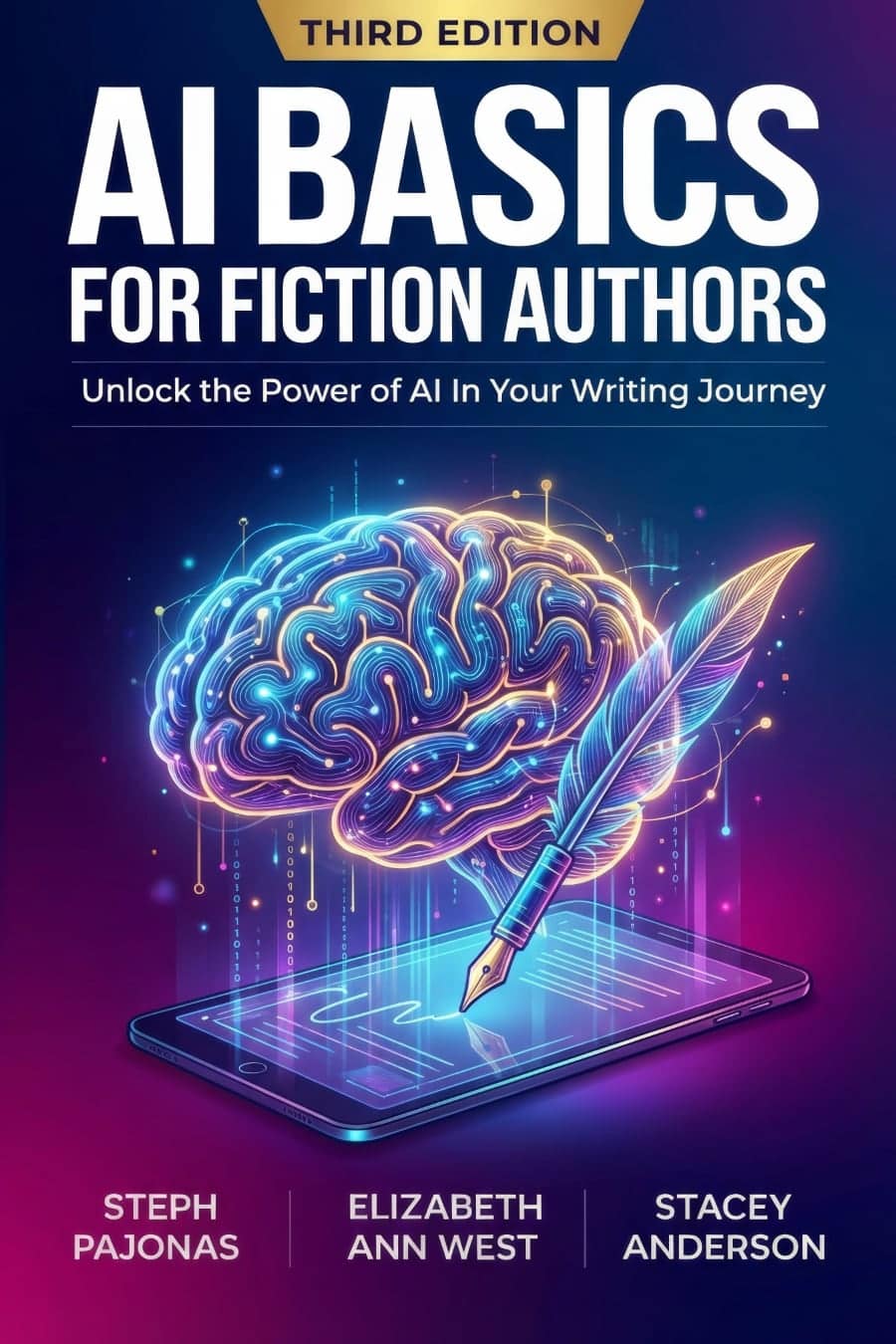
Step into the future of storytelling with AI Basics for Fiction Authors, the ultimate guide to integrating artificial intelligence into your writing process. Whether you’re a seasoned author or just starting out, this book provides the knowledge and tools you need to enhance your creativity, streamline your workflow, and produce high-quality content with ease. Inside, you’ll discover:
- Comprehensive AI Insights: Learn the essentials of large language models, prompt engineering, and context windows to unlock new creative possibilities.
- Customized AI Strategies: Find personalized AI tool plans tailored to your writing style, whether you’re a meticulous plotter or an adventurous pantser.
- Effective Applications: Master the art of writing blurbs, social media posts, and crafting immersive worlds and characters with AI’s assistance.
- Navigating Ethical Terrain: Understand the ethical considerations and content policies that guide responsible AI use, ensuring your work remains authentic and respectful.
- Exploring Unfiltered Models: Access open-source models for generating NSFW content, providing the flexibility to tackle mature themes without limitations.
AI Basics for Fiction Authors is your gateway to a new era of writing, offering practical advice, expert tips, and real-world examples to help you integrate AI seamlessly into your creative process. Embrace the transformative power of AI and take your fiction writing to new heights with this indispensable guide.
